

What Shopify Theme Is This? How to Find Any Store’s Theme in Seconds
Paste the store’s address into a Shopify theme detector such as WhatThemeIs to see the theme, its version and the apps it uses. To check manually, open the page source and search for Shopify.theme – the schema_name value is the real theme, even if the store renamed its copy.
- Is it a Shopify store at all?
- Use a Shopify theme detector
- Find Shopify.theme in the source
- Ask the browser console
- Custom and renamed themes
- Find the apps as well
- FAQ
A beautifully designed store, a smooth product page, a clever cart drawer – and the question every merchant and designer asks sooner or later: what Shopify theme is this? Shopify makes the answer easier to find than almost any other platform, because every storefront carries a small block of theme information in its code. Here is how to read it.
First: is it a Shopify store at all?
Check these signs before you look for the theme:
- Images and scripts load from
cdn.shopify.comor from/cdn/shop/on the store’s own domain. - The checkout opens on a Shopify checkout page.
- The store also answers at a
.myshopify.comaddress.
Not sure? A CMS detector answers this in the same step as the theme.
Method 1: Use a Shopify theme detector
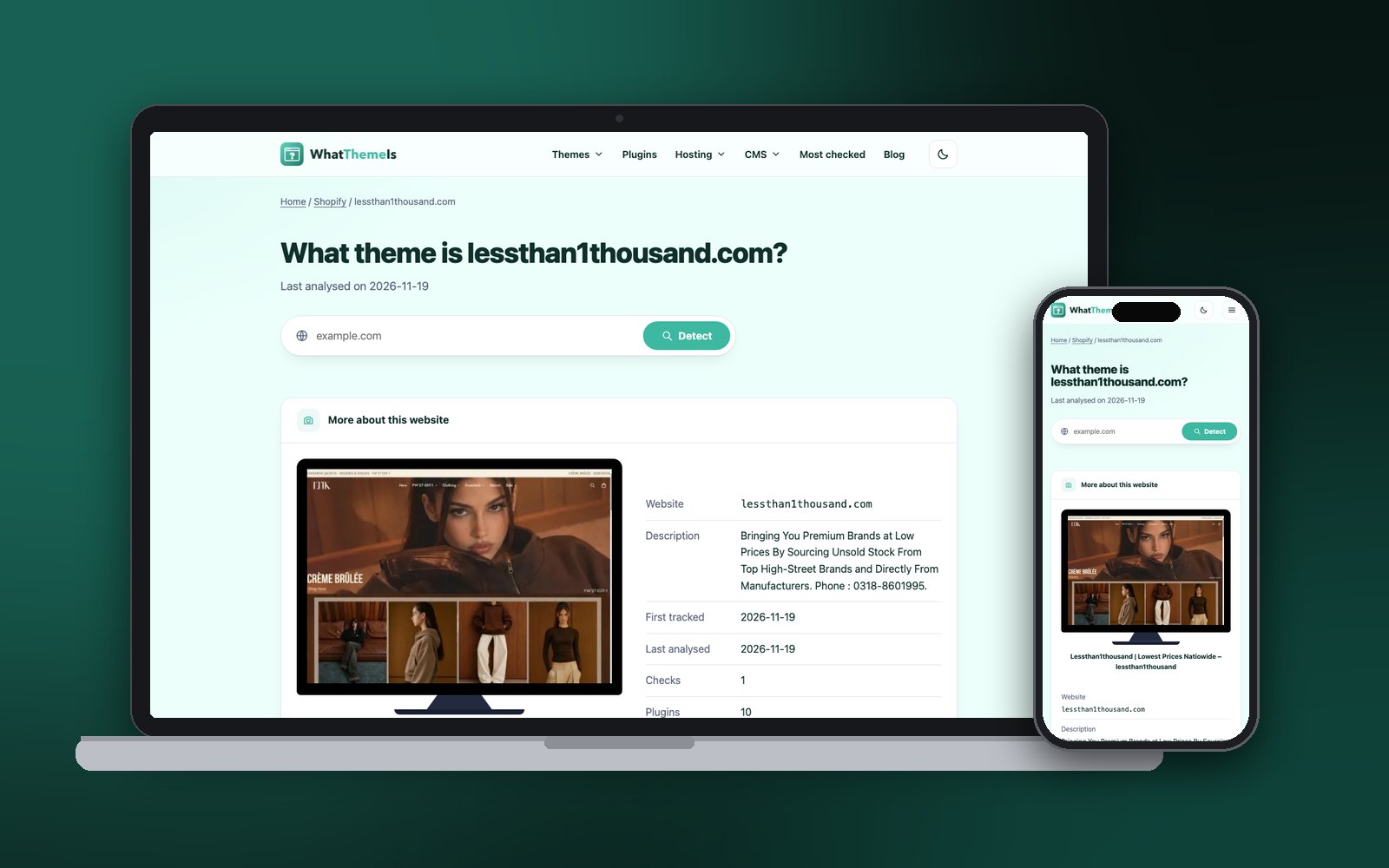
Paste the store address – the custom domain or the .myshopify.com one – and WhatThemeIs shows the theme name, the version when the store exposes it, the apps it can recognise and where the store is hosted.
What Shopify theme is this store using?
Paste any address – the result appears right here.
Method 2: Find Shopify.theme in the page source
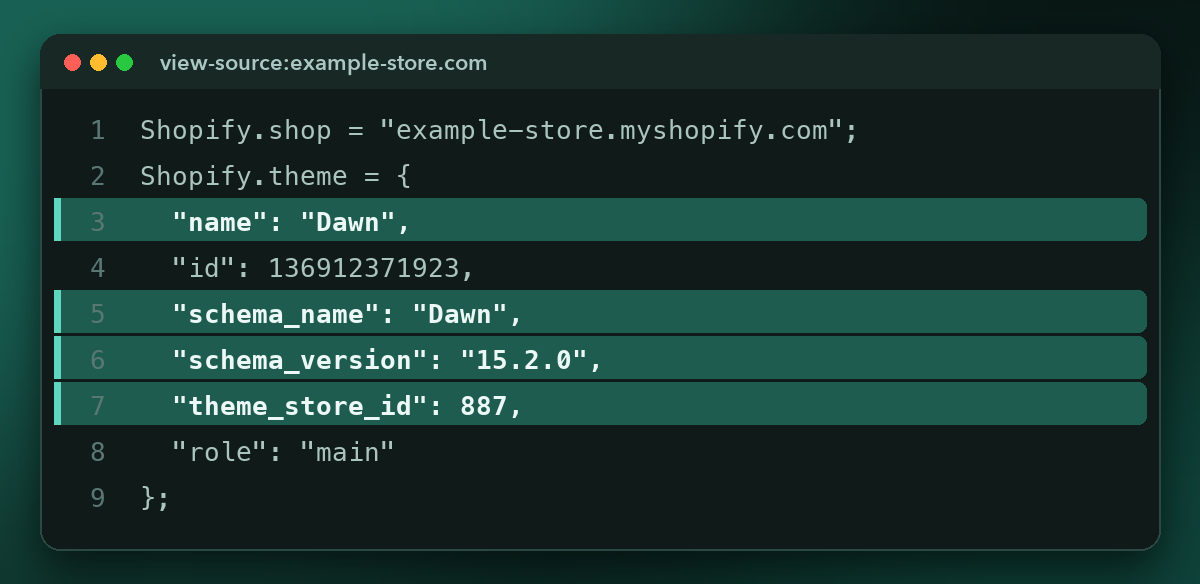
Open the source (Ctrl + U or ⌘ + Option + U), press Ctrl + F and search for Shopify.theme. You will find an object like this:
| Field | What it tells you |
|---|---|
name | The name the merchant gave their copy – often “Copy of Dawn” or “Live theme – Black Friday”. Not reliable on its own. |
schema_name | The theme’s real name as defined by its developer. This is the one to search for. |
schema_version | The theme version the store runs – useful to see whether it is up to date. |
theme_store_id | The theme’s ID in the Shopify Theme Store. null usually means a custom or third-party theme. |
role | main means it is the published theme visitors see. |
Method 3: Ask the browser console
Even quicker than reading the source: open the developer tools (F12 or ⌘ + Option + I), click the Console tab and type:
Shopify.themePress Enter and the console prints the same object, already formatted. Want only the real theme name?
Shopify.theme.schema_nameCustom and renamed themes
theme_store_id is null
The theme was not installed from the Shopify Theme Store. It may be a premium theme bought from a third-party marketplace, a theme built by an agency, or a heavily modified copy. The schema_name often still names the original.
schema_name looks unfamiliar
Search the name together with “Shopify theme”. Many third-party themes – sold on marketplaces or by independent studios – are not listed in the official store but are easy to find this way.
The store looks nothing like the theme demo
Online Store 2.0 themes are built from sections and blocks, so two stores on the same theme can look completely different. Compare structural details – the header, the product gallery, the cart drawer – rather than colours and images.
Find the apps as well
The theme is only half of a store’s setup. Reviews, upsells, bundles, chat and subscriptions come from apps that load their own scripts. In the source, look for script addresses with app names, or let the detector list the ones it recognises. Seeing which apps successful stores in your niche rely on is often more useful than knowing the theme.
Before you pick the theme you found, check these points – click to tick them off:
- It is an Online Store 2.0 theme (sections on every page)
- The current version is close to the one in
schema_version - It supports the features you need: filters, mega menu, quick view
- You tested the theme demo on a phone
- You know the price and whether updates are included
FAQ
Can I see the theme of a password-protected Shopify store?
No. While a store is password protected, visitors only see the password page, which does not reveal the live theme.
Is Dawn really the most used Shopify theme?
Dawn is Shopify’s default free theme, so it appears on a very large number of stores. Our most popular Shopify themes list shows what we actually detect on live stores.
Can I copy another store’s theme?
You can install the same theme from its official source. Copying another store’s customised code, images or text is not allowed – get the theme from the Shopify Theme Store or the developer and build your own version.
Does the detector work on headless Shopify stores?
Headless stores (for example built with Hydrogen) do not use an Online Store theme, so there is no theme name to find. The detector still reports the platform and the technologies it can see.
Found a store you like? See its theme in seconds.
Check a Shopify store
