

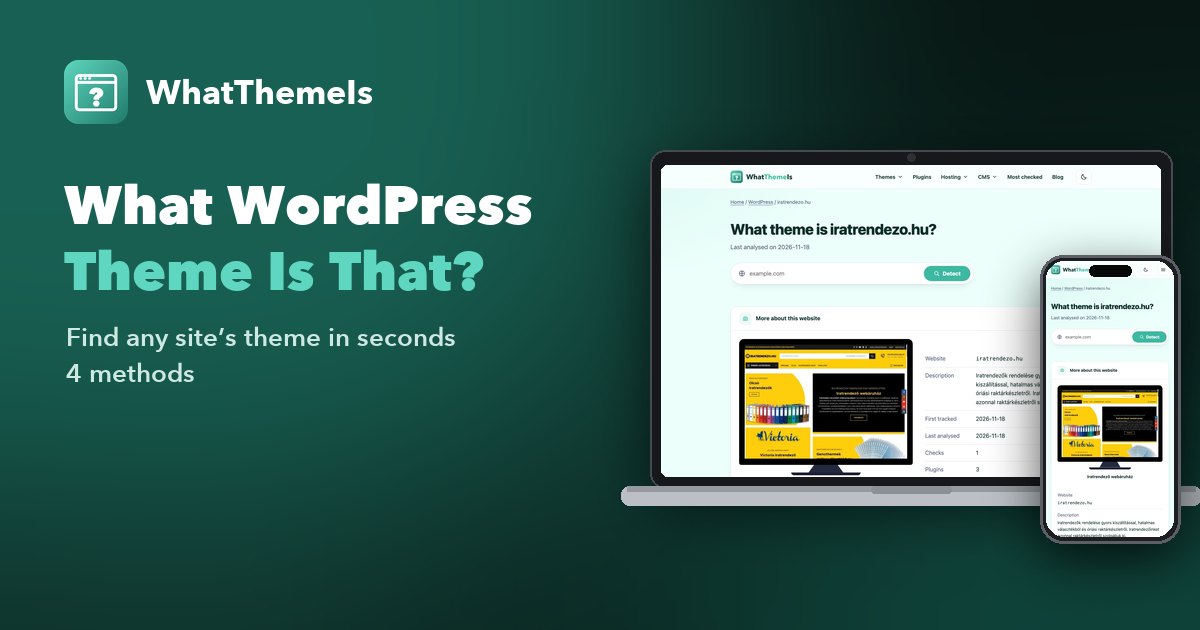
How to Find Out What WordPress Theme a Website Is Using (4 Easy Methods)
Paste the site’s address into a WordPress theme detector such as WhatThemeIs and you will get the theme, the parent theme and the visible plugins in a few seconds. If you prefer to check by hand, open the page source and search for /wp-content/themes/ – the folder name after it is the theme.
- Use a WordPress theme detector
- Look at the page source
- Read the theme’s style.css header
- Check the footer and other clues
- When the theme name is hidden
- Which method should you use?
- FAQ
You land on a WordPress site with a layout you love and the same question pops up every time: what WordPress theme is that? The good news is that WordPress is one of the easiest platforms to read from the outside. Its themes live in predictable folders, announce their name in a standard header, and leave traces in almost every page they render.
Below are four reliable ways to find out which theme a WordPress website uses – from the one-click option to the manual checks developers use – plus what to do when a site hides its theme.
Method 1: Use a WordPress theme detector
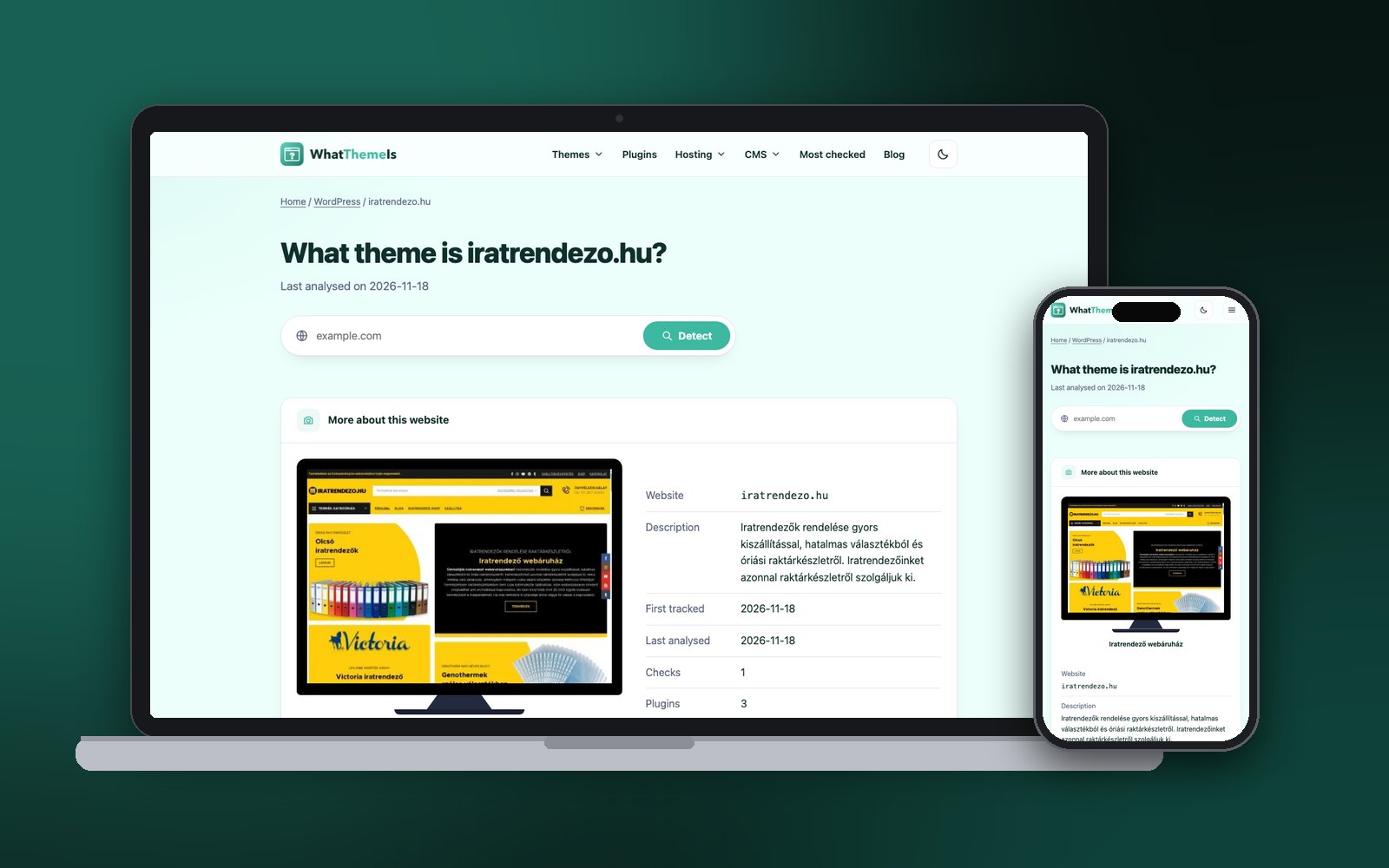
The fastest route is an online tool that reads the page for you. With WhatThemeIs you paste the address, press Detect, and the report shows the active theme, the parent theme when the site uses a child theme, the plugins we can recognise, the hosting company and the CMS version.
Try it: what WordPress theme is that site using?
Paste any address – the result appears right here.
Copy the address of the website
Any page of the site works – the homepage, a blog post or a product page. You can leave out https://.
Paste it into the detector and press Detect
We load the page like a normal visitor, then compare its code with our database of theme and plugin fingerprints. Sites behind Cloudflare or a captcha are usually still readable.
Read the report
The theme name links to a page with every other website we found using it – a quick way to see how flexible the theme really is before you buy or install it.
Method 2: Look at the page source
If you would rather see the evidence yourself, the page source tells you almost everything. Every WordPress theme loads its files from /wp-content/themes/theme-folder/, so the folder name is usually the theme name.
| Browser | Windows / Linux | Mac |
|---|---|---|
| Chrome, Edge, Brave | Ctrl + U | ⌘ + Option + U |
| Firefox | Ctrl + U | ⌘ + U |
| Safari | – | ⌘ + Option + U (enable the Develop menu first) |
In the source view press Ctrl + F (or ⌘ + F) and search for:
/wp-content/themes/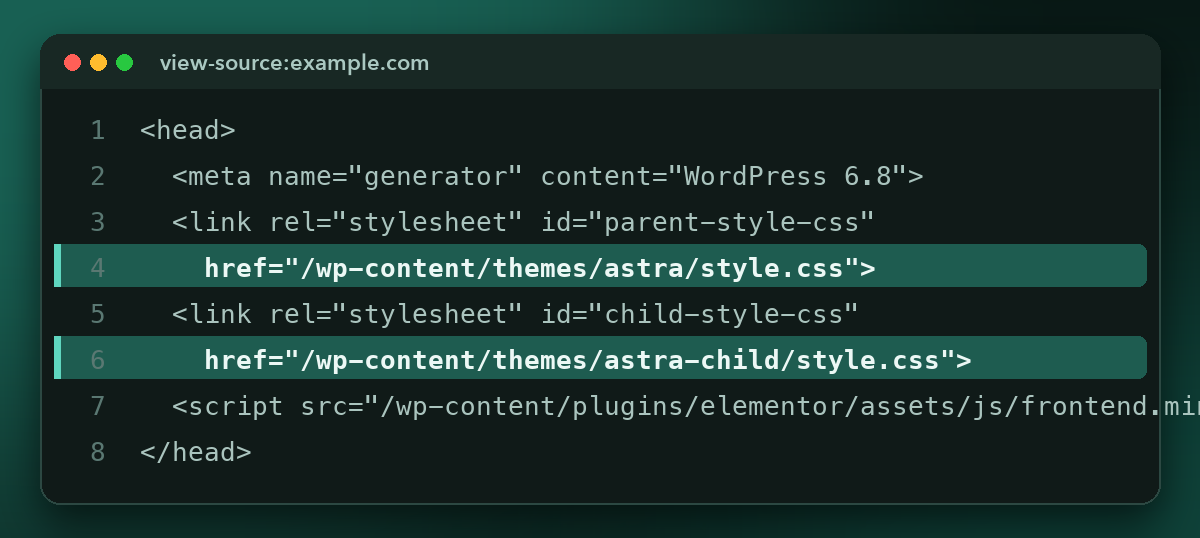
Seeing two different folders? The site uses a child theme. The folder ending in -child holds the site’s own tweaks; the other one is the original theme you can actually download or buy.
Method 3: Read the theme’s style.css header
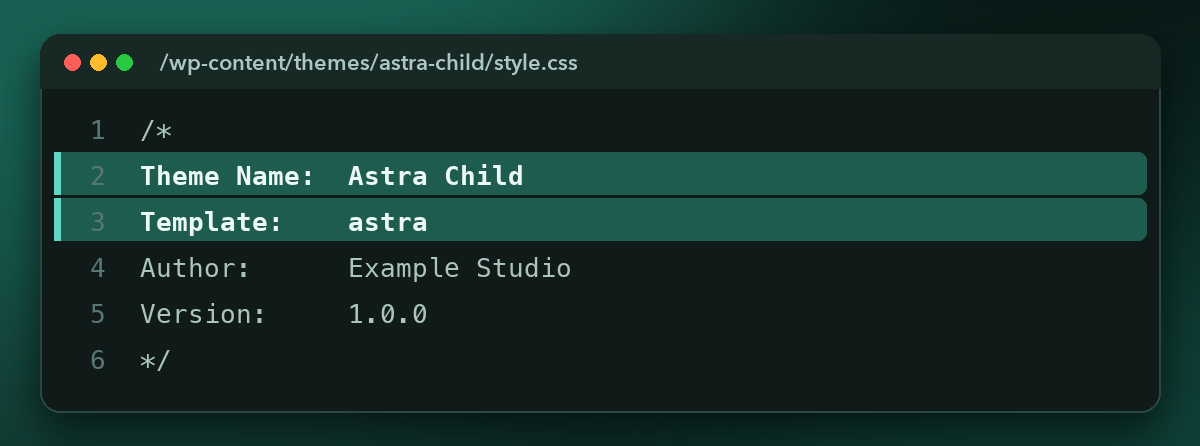
Folder names can be vague – /themes/main/ does not tell you much. Open the theme’s style.css file by adding it to the folder path in your browser, for example:
https://example.com/wp-content/themes/astra-child/style.cssThe comment block at the very top is required by WordPress, so it is almost always there. It lists the theme name, the author, the version and – for child themes – the Template line, which names the parent theme.
Method 4: Check the footer and other clues
- Footer credits. Many themes print “Theme by …” or “Powered by …” in the footer unless the owner removed it.
- CSS classes. Some themes add their name to the
<body>class list or to element classes – search the source for a suspected theme name. - Page builder traces. Elementor, Divi, Bricks or Oxygen leave their own classes and scripts. If the theme folder looks like a blank starter theme, the design was probably built with one of these.
- Ask. If nothing else works, a friendly message to the site owner often gets an answer.
When the theme name is hidden
No method is perfect. These are the usual reasons a WordPress theme cannot be identified – and what you can still learn:
The theme was renamed
Some agencies rename the theme folder and edit the header. Look for leftover clues: original image paths, translation files or the parent theme’s scripts.
All files are combined and cached
Optimisation plugins merge style sheets into one file with a random name. Detectors that look beyond the file names – like ours – can often still match the theme from the code itself.
It is a custom theme
A theme written for one client has no public name. You still get the platform, the plugins and the hosting, which is often what you really wanted to know.
The site runs WordPress “headless”
The visitor sees a separate front end (for example Next.js) while WordPress only stores the content. Images may still load from /wp-content/uploads/, but there is no WordPress theme on the visible page.
Which method should you use?
| Method | Time | Skill needed | Also shows |
|---|---|---|---|
| Theme detector | Seconds | None | Parent theme, plugins, hosting, CMS version |
| Page source | 1–2 minutes | Basic | Theme folder, plugin folders |
| style.css header | 1–2 minutes | Basic | Exact name, author, version, parent theme |
| Footer and clues | Varies | Some | Page builder, theme credits |
Before you commit to a theme you found, run through this quick checklist – click the items as you go:
- The theme is still updated by its author
- It works with the plugins you need (WooCommerce, your page builder, SEO plugin)
- Several live websites use it – open the theme page in the report to see them
- You checked the demo on a phone, not just on desktop
- You know whether it is free or premium, and what the licence covers
FAQ
Is it legal to check what theme a website uses?
Yes. You only read code that every visitor’s browser already downloads. Copying the design or the files of a premium theme without a licence is a different matter – buy the theme from its author.
Can I find out the theme of a site built on WordPress.com?
Usually yes. WordPress.com sites use the same theme folders and style sheet headers, so both a detector and the page source work.
Why does the detector show a different name than the footer?
The footer credit may refer to the parent theme or to the agency that built the site, while the detector reports the active theme folder. Check the parent theme line in the report.
Does the website owner see that I checked their theme?
No. To the site, a WhatThemeIs check looks like an ordinary page visit from our server, and nobody is notified.
Curious about another site’s theme?
Check a website now
